The VAT Rates section in CheckoutNgo allows you to define and manage tax rates for your products efficiently. This feature ensures compliance with tax regulations and provides flexibility for assigning appropriate rates to individual products.
https://www.dashboard.checkoutngo.com/menu/vat-rates
VAT Rates Interface Overview
The VAT interface presents a clear and organised list of all defined tax rates in your system.
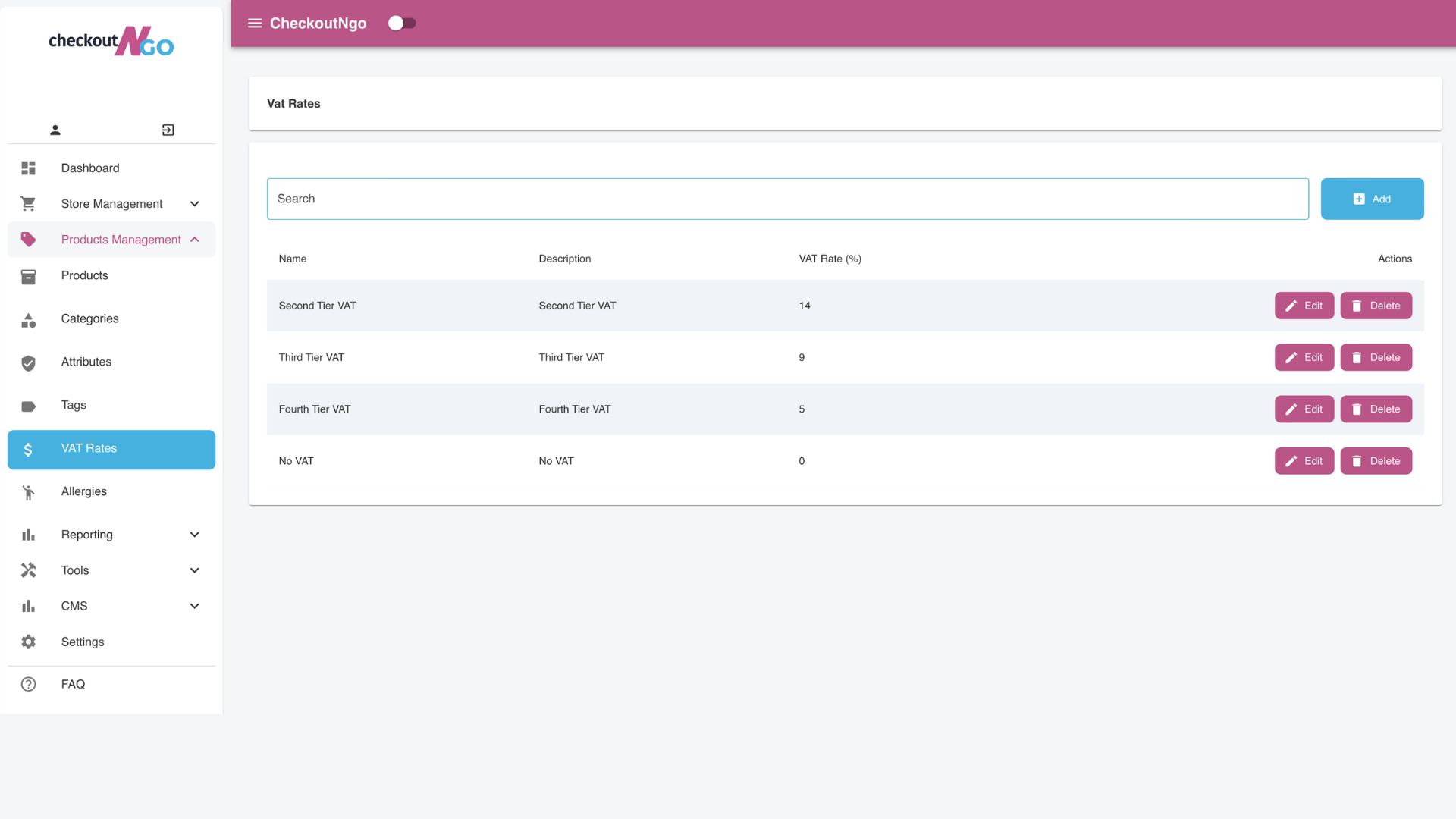
Each VAT rate is displayed with its Name, Description, and VAT Percentage (% value). The interface also includes actionable options such as:
- Edit: Modify the details of an existing VAT rate.
- Assign: Link the VAT rate to specific products.
- Duplicate: Quickly replicate an existing VAT rate to create a similar one.
- Delete: Remove a VAT rate from the system.
You can also search for specific VAT rates using the search bar, making navigation within larger systems straightforward.
Adding a New VAT Rate
The Add VAT Rate popup allows you to define new tax rates seamlessly.
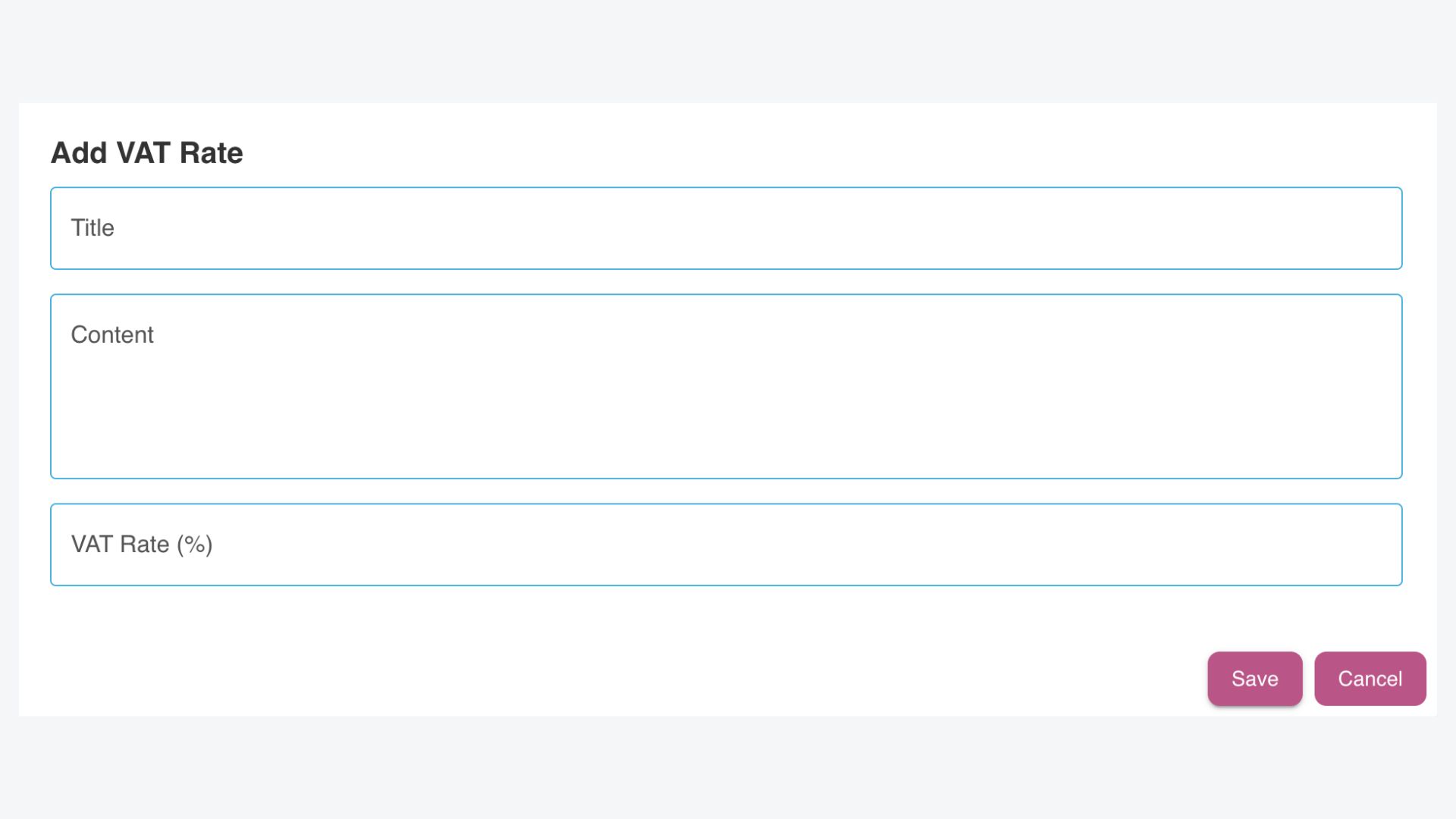
Here’s how to use this interface:
- Title: Enter a descriptive name for the VAT rate, such as “Standard VAT” or “Reduced VAT.”
- Content: Provide additional context or a description for the VAT rate. This helps users understand the purpose or application of the rate.
- VAT Rate (%): Specify the percentage value for the tax, such as 5%, 9%, or 14%.
Once the details are filled in, click Save to add the VAT rate to your system. You can later assign this rate to applicable products.
Assigning VAT Rates to Products
After creating VAT rates, you can assign them to specific products using the Assign action in the VAT Rates interface. This step ensures that each product in your inventory is linked to the correct tax rate, streamlining both the checkout process and tax calculation. Assigning VAT rates helps maintain compliance with tax regulations and ensures accurate calculations on customer invoices.
In addition to product-level assignments, VAT rates play an integral role in CheckoutNgo’s built-in reporting system. The system uses these rates to generate detailed VAT reports, ensuring that your VAT returns are correctly calculated and aligned with the products you are selling. This reporting feature simplifies tax filings and reduces the risk of errors, saving you time and effort when managing your store’s finances.
By leveraging the VAT assignment and reporting tools, store owners can stay on top of their tax obligations and ensure a smooth operation of their e-commerce business.