The Delivery Settings section in CheckoutNgo allows you to customize your delivery service, ensuring it aligns with your business model and customer expectations. This interface is designed to give you full control over how and when delivery services are available, helping you provide a seamless experience for your customers.
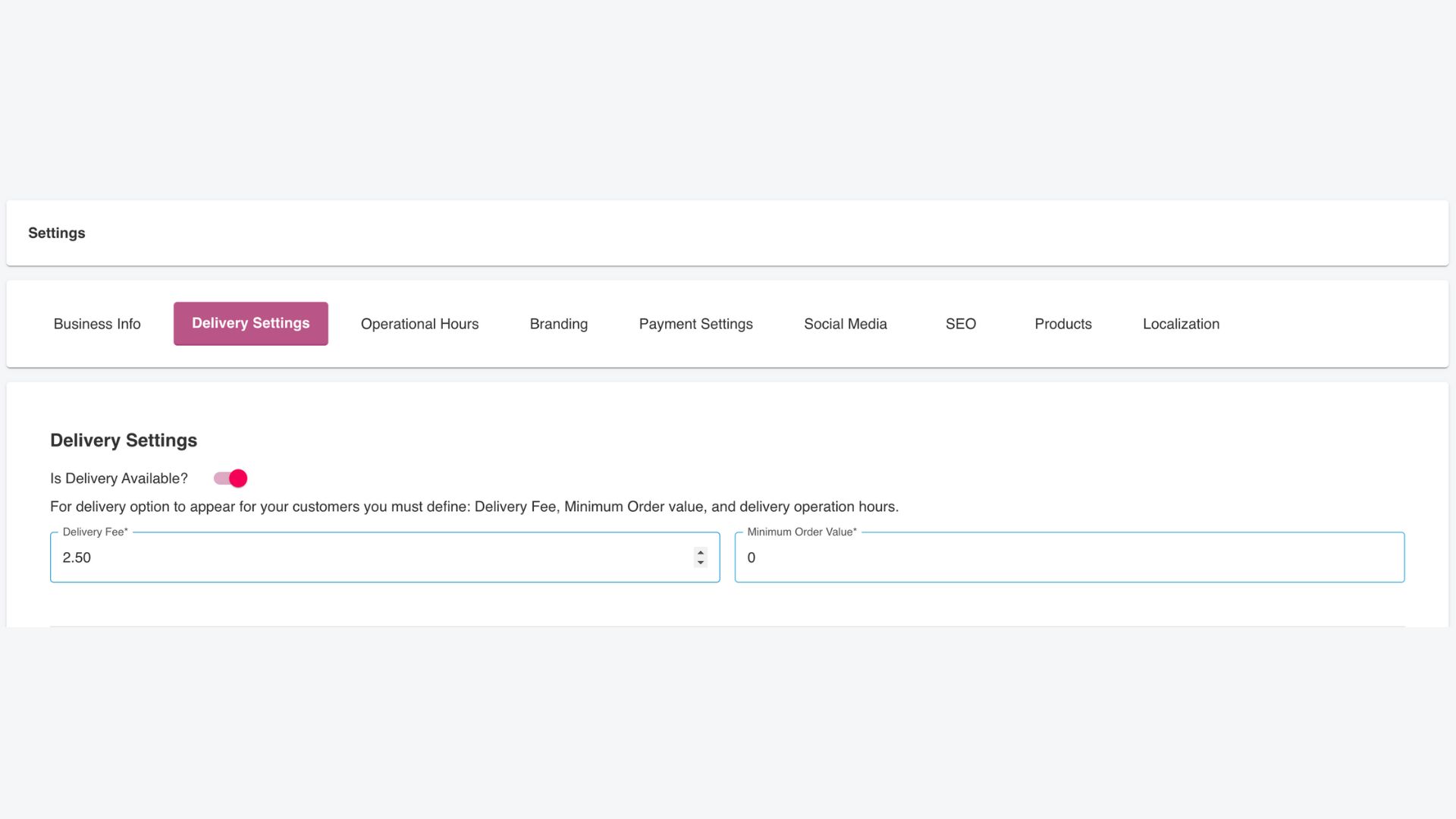
Enable or Disable Delivery
At the top of the page, there is a toggle labeled Is Delivery Available?.
- Enable Delivery: Switch this toggle on if your business offers delivery services.
- Disable Delivery: Turn this toggle off to restrict orders to collection-only.
Set Delivery Fee and Minimum Order Value
- Delivery Fee: Specify the cost of delivery for each order. This will be automatically applied during checkout when customers select delivery. For example, you could set a fee of €3.00 for all deliveries.
- Minimum Order Value: Define the smallest order amount eligible for delivery. For example, you might require a minimum order of €10.00 for delivery to be an option.
These values ensure customers meet your business requirements for delivery and offset your operational costs.
Customize Delivery Operational Hours
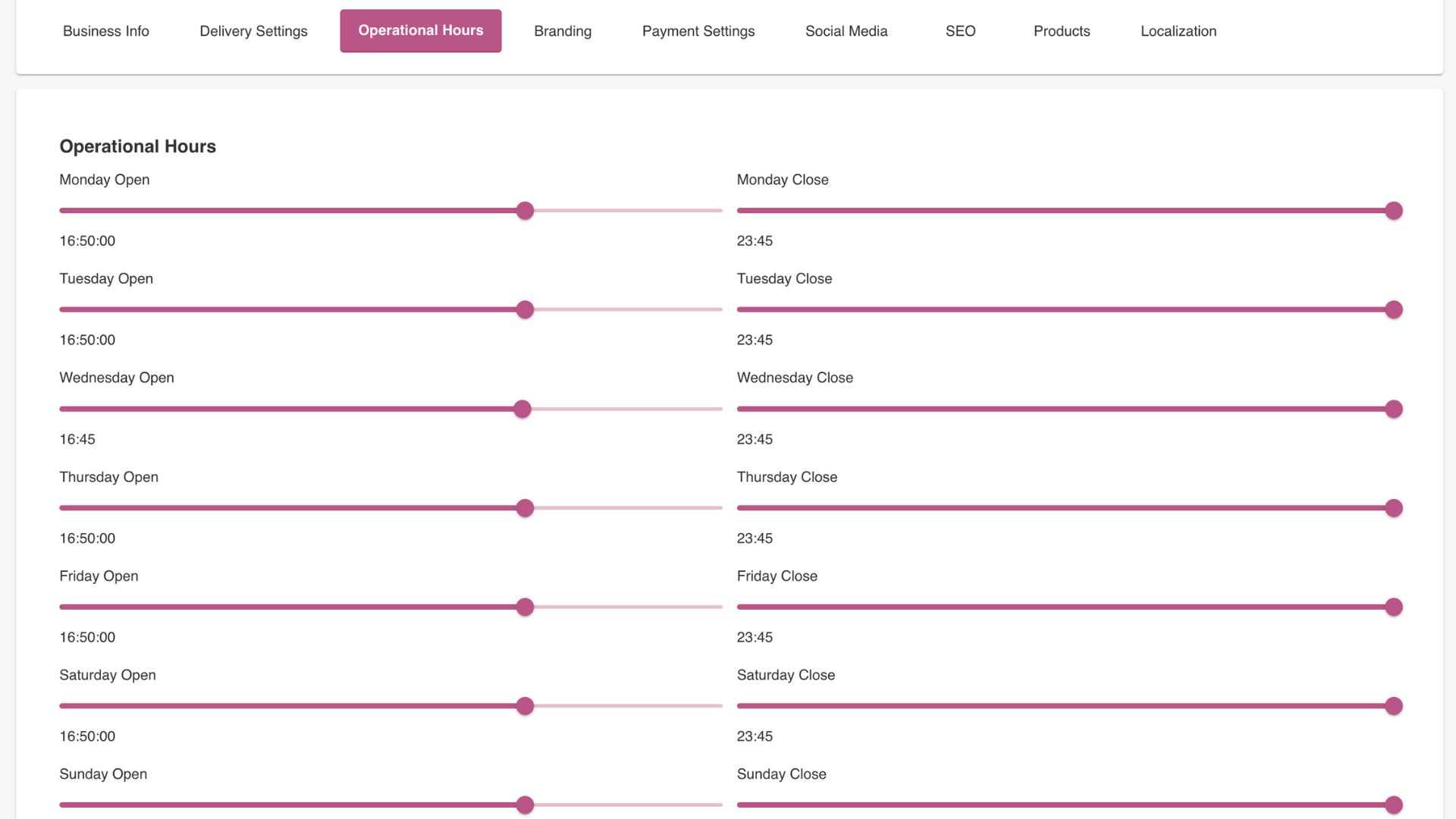
This section allows you to configure the times your delivery service is available for each day of the week. For each day, you can set:
- Opening Time: The time deliveries can start for the day.
- Closing Time: The time deliveries stop for the day.
Use the sliders to adjust these times with precision. For example:
- Deliveries might start at 12:00 PM and close at 11:00 PM on weekdays.
- On weekends, you might extend delivery hours, closing at 1:00 AM.
The flexibility ensures your customers know exactly when they can place delivery orders.
Save Your Settings
Once you’ve configured your delivery options and operational hours, click the Save Settings button at the bottom of the page. This ensures all your changes are applied across your CheckoutNgo platform and visible to customers.