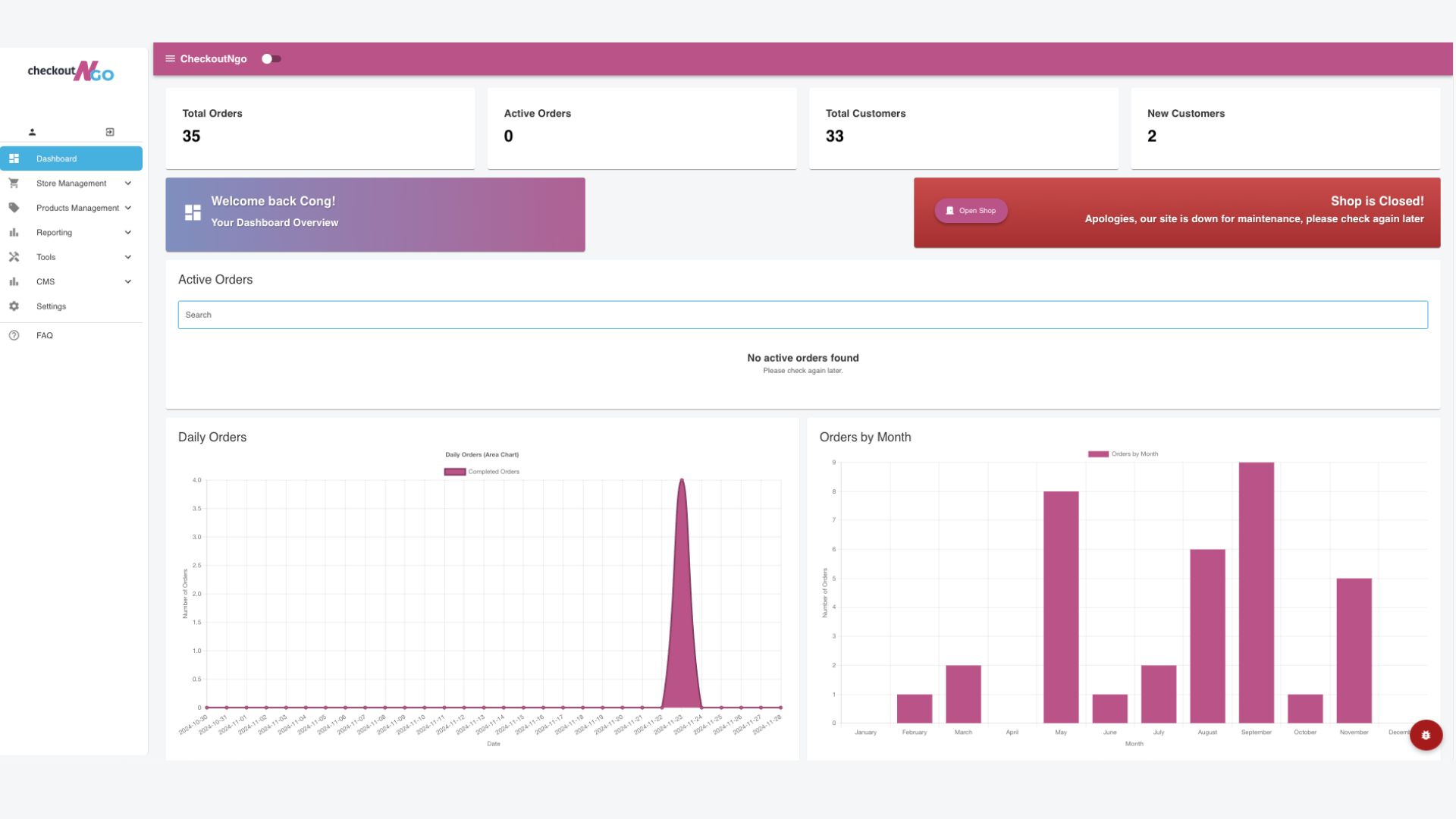
Welcome to the CheckoutNgo Dashboard – your central hub for managing your takeaway business. This intuitive interface provides a comprehensive overview of your store’s performance and essential tools to keep operations running smoothly.
Key features of the Dashboard include:.
- Order Metrics: View total orders, active orders, total customers, and new customers at a glance.
- Shop Status: Check whether your shop is open or closed. You can easily update this setting to control when customers can place orders.
- Active Orders: Monitor incoming and ongoing orders in real time, ensuring you can handle customer needs efficiently.
- Daily and Monthly Order Insights: Visualize your order data through charts to better understand business performance trends.
- Navigation Panel: Access various management tools like store setup, product management, reporting, settings, and advanced features.
This Dashboard empowers you to stay on top of your business, whether it’s tracking sales or customizing your store. In the next sections, we’ll dive deeper into each feature to help you maximize the platform’s capabilities.