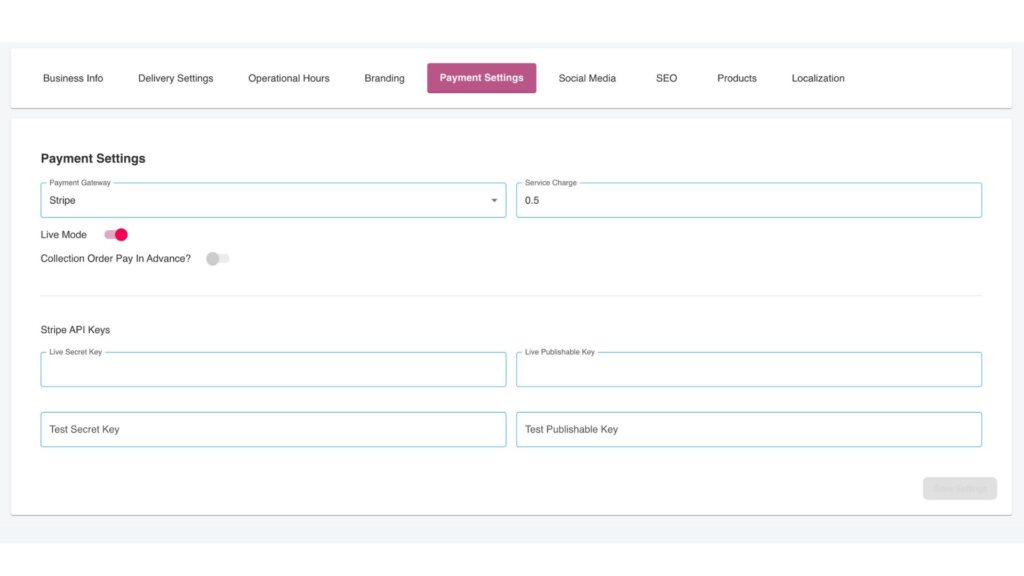
The Payment Settings page is a crucial part of your CheckoutNgo platform setup, where you can manage and configure how your customers will pay for their orders. This section is designed to provide flexibility, ensuring seamless transactions while meeting your business’s specific needs.
Key Features of the Payment Settings
- Payment Gateway
At the top of the interface, you can select your desired payment gateway from the dropdown menu. In this example, Sage/Opayo is configured as the payment processor. This ensures secure and reliable handling of online transactions. - Live Mode Toggle
The Live Mode switch determines whether your payment gateway is in production (live) mode or test mode.
Live Mode: Enables real transactions for customer payments.
Test Mode: Allows you to simulate payments without processing actual transactions, useful during setup or troubleshooting.
- Collection Order Pay in Advance
This toggle option allows you to define whether customers need to pay for collection orders upfront. By enabling this feature, you can streamline order management and ensure payment security. - Service Charge
If your business applies a service fee to online orders, this field allows you to input the value. For example, a 1.50 service charge is applied in this configuration, which will be automatically added to the customer’s total bill during checkout. - API Key Configuration
To securely connect your CheckoutNgo platform with Sage/Opayo or your chosen payment gateway, you need to enter the necessary API credentials:
Live API Keys: These include your live vendor, key, and password, used for real customer transactions.
Test API Keys: Separate credentials for testing transactions without affecting your live system.
- By using distinct live and test keys, this setup ensures that your system can be tested thoroughly before going live.
Why Payment Settings Matter
This interface offers complete flexibility for configuring payment preferences, ensuring secure and efficient transactions. Whether you’re a small business or a larger operation, these settings allow you to:
- Easily switch between testing and live environments.
- Include service charges to account for transaction or platform fees.
- Ensure all payments are processed securely through your configured gateway.
With the Payment Settings, store owners have complete control over how payments are handled. This guarantees a smooth and reliable customer experience while safeguarding sensitive financial data.